Connecting the USB to the back of the device
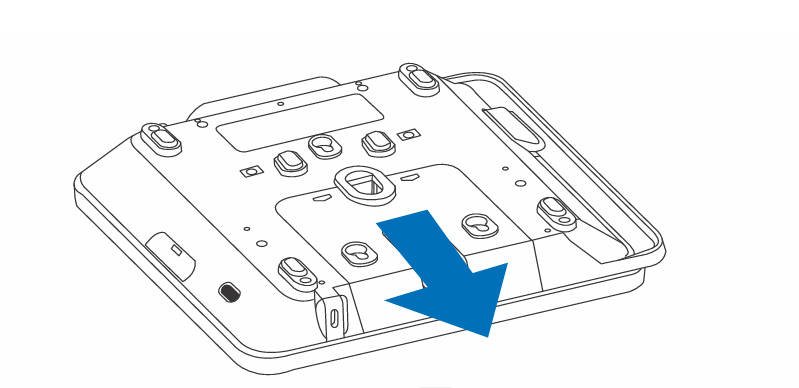
1.Remove the cover by pressing down on the tabs to slide.
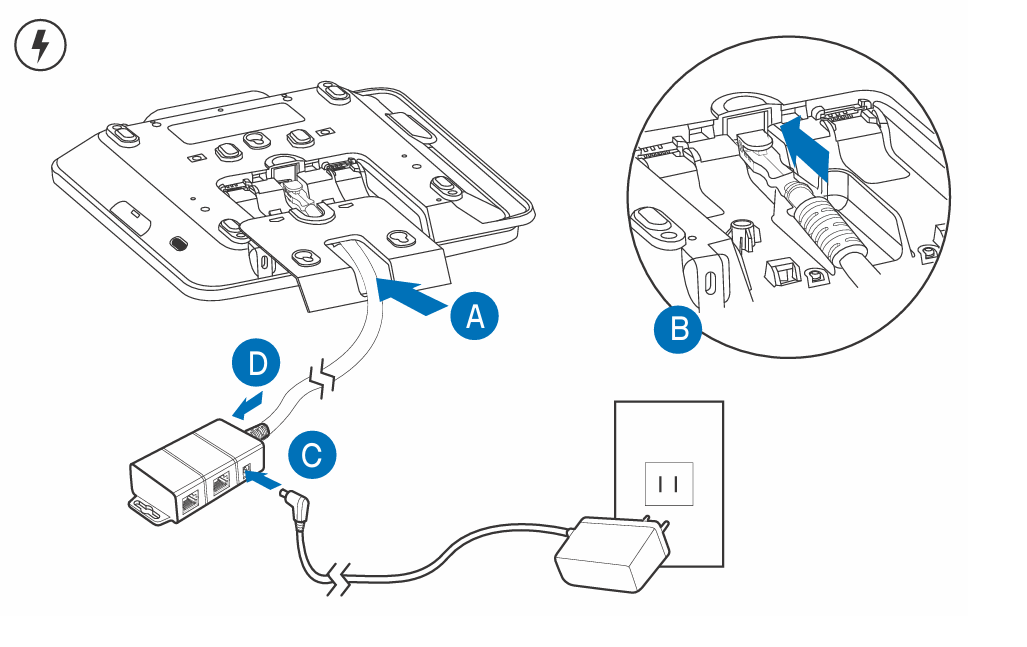
2.Insert the USB C Cable
3.Replace cover over the USB cable
Was this article helpful?
That’s Great!
Thank you for your feedback
Sorry! We couldn't be helpful
Thank you for your feedback
Feedback sent
We appreciate your effort and will try to fix the article